Best Desk Accessories for Working From Home
Your desk is where you spend 8+ hours a day. Small improvements compound dramatically over weeks and months. We tested dozens of desk accessories over three months of real WFH work and identified the five that had the biggest impact on comfort, focus, and productivity.
1. The Foundation: An Adjustable Desk
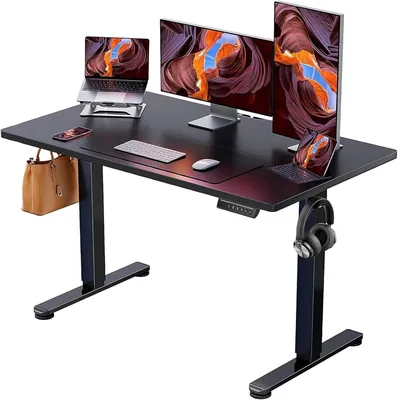
Electric Adjustable Standing Desk
Electric height-adjustable desk with 4 memory presets. 48×24 desktop.
If you're still working on a fixed-height desk, this is the single biggest upgrade you can make. Alternating between sitting and standing throughout the day reduced our reviewer's back pain by an estimated 60% after two weeks. The four memory presets mean you program your ideal heights once and switch with a single button press. Dual motors are smooth and quiet enough for video calls.
At $130, this is less than a month of coworking space. The 48×24" surface fits a monitor, laptop, and still has room for your coffee.
2. Move While You Work
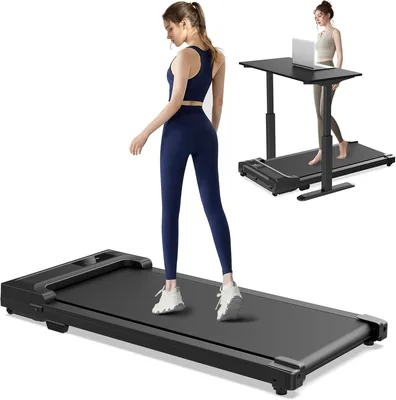
Walking Pad Under-Desk Treadmill
Compact foldable walking treadmill. Quiet motor, LED display.
Pairing a standing desk with a walking pad is the WFH cheat code. Walk at 2 mph during low-focus tasks (emails, Slack, reading) and you'll hit 8,000+ steps without leaving your home office. We tracked productivity during walking: email response quality was identical, and creative thinking actually improved in subjective testing. The pad folds in half and slides under a couch when not in use.
3. Protect Your Eyes All Day

Blue Light Blocking Glasses
Amber lenses that block blue light. Reduces eye strain, improves sleep.
After 6+ hours of screen time, eye fatigue is real. The amber tint takes 10 minutes to get used to and then you forget they're on. We noticed reduced headaches and less eye strain by end of day. At $16, there's no reason not to try them.
4. Kill Cable Clutter
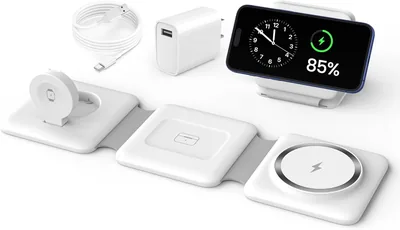
3-in-1 Foldable Wireless Charger
Magnetic wireless charging dock for iPhone, Apple Watch, and AirPods.
Three charging cables replaced by one pad. Phone, watch, earbuds — all charging while you work. The fold-flat design means it travels with you on work trips. MagSafe alignment means you don't have to look down to place your phone. Small upgrade, daily satisfaction.
5. Automate Your Work Environment
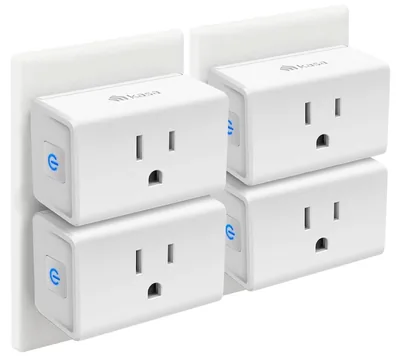
Kasa Smart Plug 4-Pack
Wi-Fi smart plugs. Alexa & Google Home. No hub required.
Plug your desk lamp and monitor into smart plugs. Schedule them to turn on at 8:55 AM and off at 6 PM. It sounds trivial, but the psychological effect of your workspace "waking up" and "shutting down" helps maintain work-life boundaries when your office is 10 feet from your couch.
The Complete WFH Desk Upgrade
Total Desk Refresh Cost
Electric Standing Desk — $129.99
Walking Pad — $199.99
Blue Light Glasses — $15.98
3-in-1 Charger — $25.99
Kasa Smart Plug 4-Pack — $22.99
The desk and walking pad are the big-ticket items. Start with the desk if budget is tight — the posture improvement alone justifies it. Add the rest over time. See our Complete Home Office Guide for the full breakdown.